Enchant Plus addon
Addons / Addons for 1.21.81 20.11.24 0
The Enchantment Plus add-on revolutionizes the enchantment system in Minecraft PE, making it more intuitive and user-friendly. The core of this transformation is the new Enchantment Table, featuring a redesigned interface that allows for three key actions: Enchanting, Disenchanting, and Transferring enchantments. For each of these processes, you can precisely select the desired enchantment types and levels, directly influencing the enchantment cost.
This add-on also introduces Enchant Essence, a new resource required to utilize these advanced features. With this enhanced control and functionality,
Credits: Death_Aruban
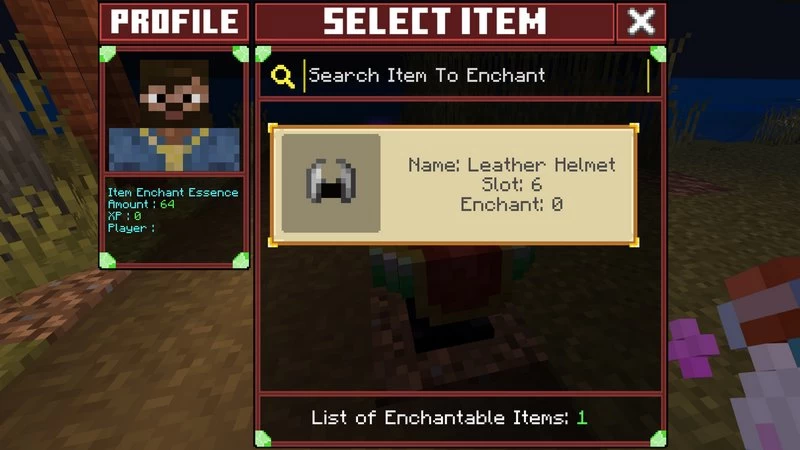
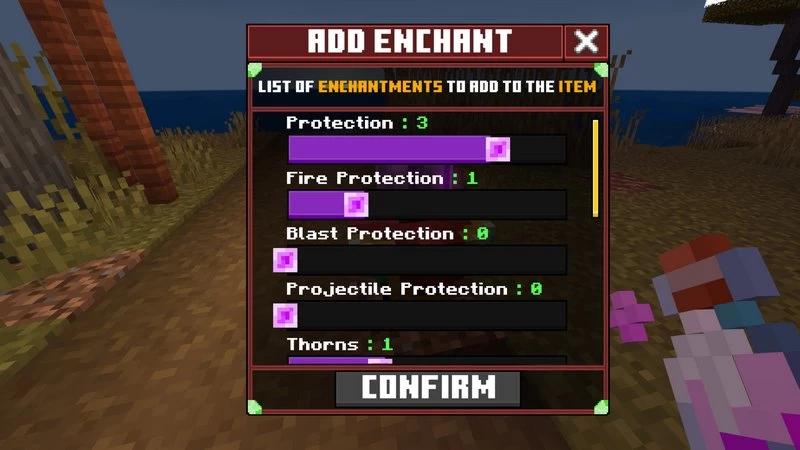
Apply enchantments to any vanilla item or custom items from other add-ons, unlocking even greater enchanting possibilities with the new Enchant Essence. Choose enchantments that complement your playstyle and experiment with powerful combinations to create truly unique equipment.
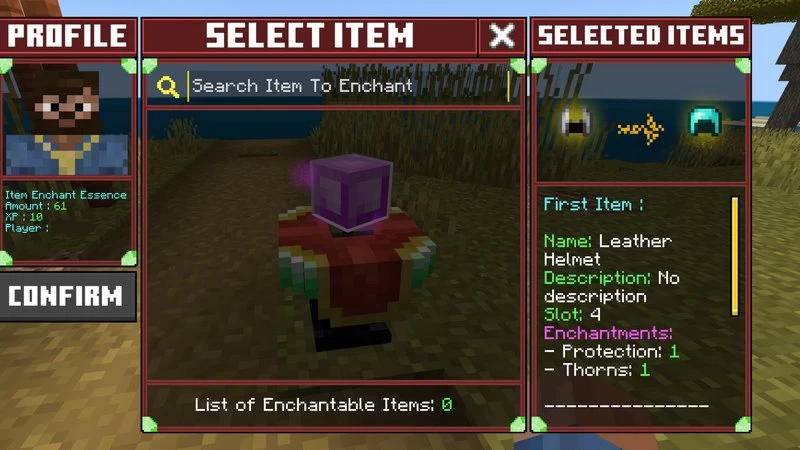
Easily remove enchantments from items and recover the resources spent, allowing you to experiment freely without the risk of losing valuable materials.
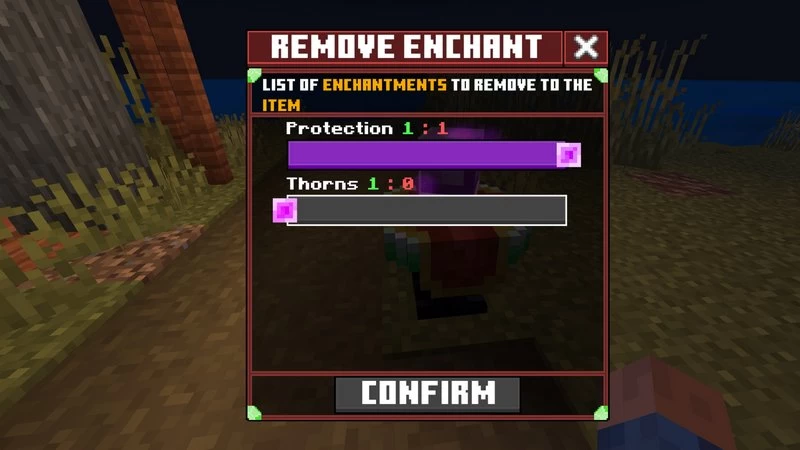
Transfer powerful enchantments between items for a cost, enabling you to optimize and customize your arsenal. Strategically tailor items for specific tasks or playstyles by transferring enchantments as needed.
This add-on also introduces Enchant Essence, a new resource required to utilize these advanced features. With this enhanced control and functionality,
Credits: Death_Aruban
1. Enchant mode
Apply enchantments to any vanilla item or custom items from other add-ons, unlocking even greater enchanting possibilities with the new Enchant Essence. Choose enchantments that complement your playstyle and experiment with powerful combinations to create truly unique equipment.
2. Disenchant mode
Easily remove enchantments from items and recover the resources spent, allowing you to experiment freely without the risk of losing valuable materials.
3. Transfer mode
Transfer powerful enchantments between items for a cost, enabling you to optimize and customize your arsenal. Strategically tailor items for specific tasks or playstyles by transferring enchantments as needed.
You may also like
More Enchantments provides greater flexibility in customizing your equipment to suit your playstyle....
More
Enchanting+ addon simplifies the process of imbuing your items with a preferred set of abilities, allowing...
More
A Disenchanting table allows the players to take out the enchant from any item back into the book....
MoreComments (0)
New comments
Minecraft Pro31 May 2026 17:23
download minecraft/edu then install it and go to file and press "open
To comment